CAM DressupRampEntry
 CAM DressupRampEntry
- Menu location
-
- Workbenches
- Default shortcut
-
None
- Introduced in version
-
-
- See also
Description
The CAM DressupRampEntry command dresses up an existing path to add a ramp entry.
Properties
-
Ramp Feed Rate : Can either be the current vertical or horizontal feed rate or some other custom value
-
Angle : Angle of the ramp against the vertical axis. A smaller value makes the ramp steeper.
-
Method : Used to select different modes of ramping:
-
RampMethod1: goes down at the ramp angle and the moves horizontal to the target point
-
RampMethod2: goes horizontal first and then down at the ramp angle to the target point
-
RampMethod3: goes down in a zigzag way
-
Helix: goes down spiraling
-
-
Dressup Start Depth : The distance above the target level where ramping starts
-
Use Start Depth : Indicates that the ramping does not start above the stock level. If it is not set to true the first ramp can be steeper than expected.
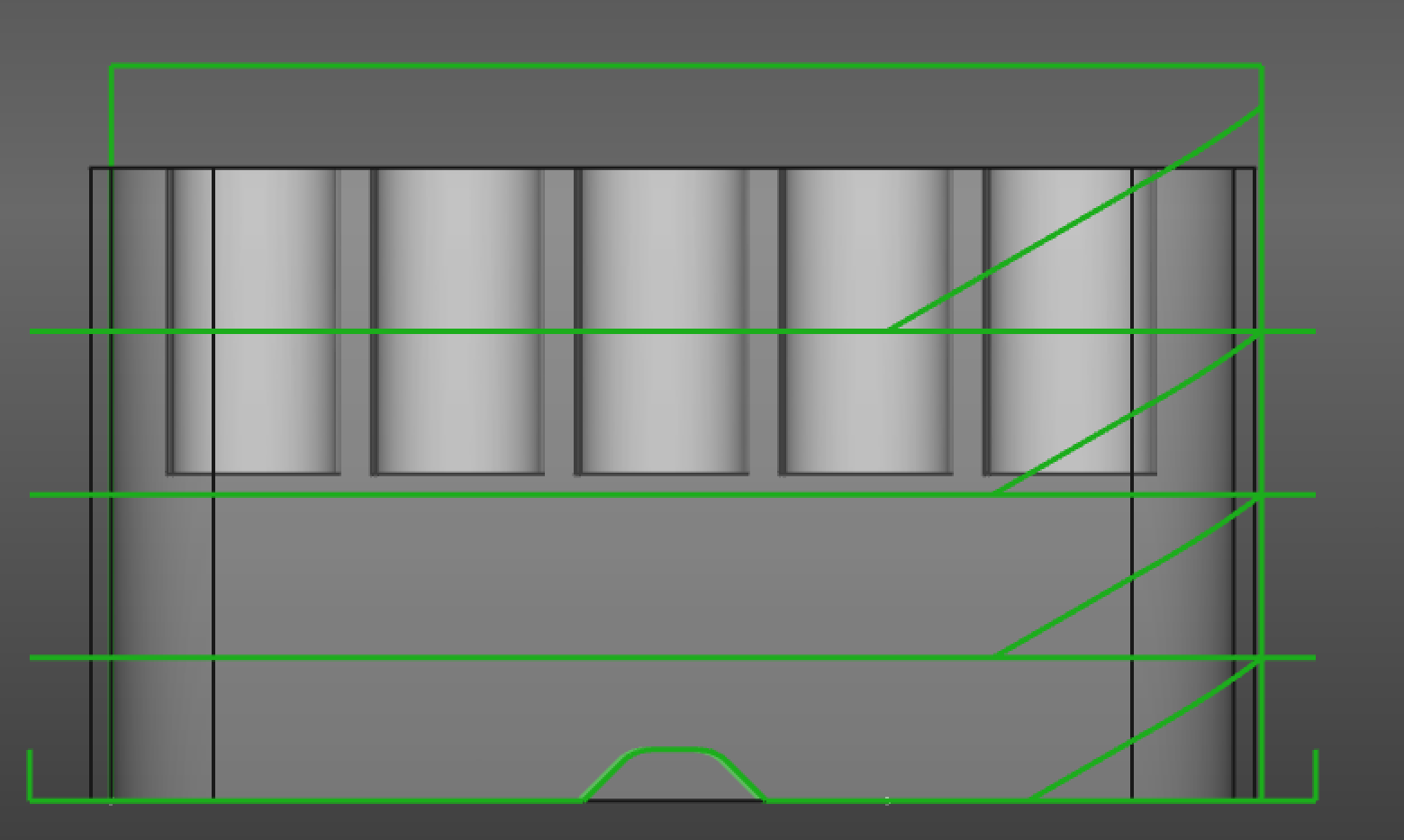
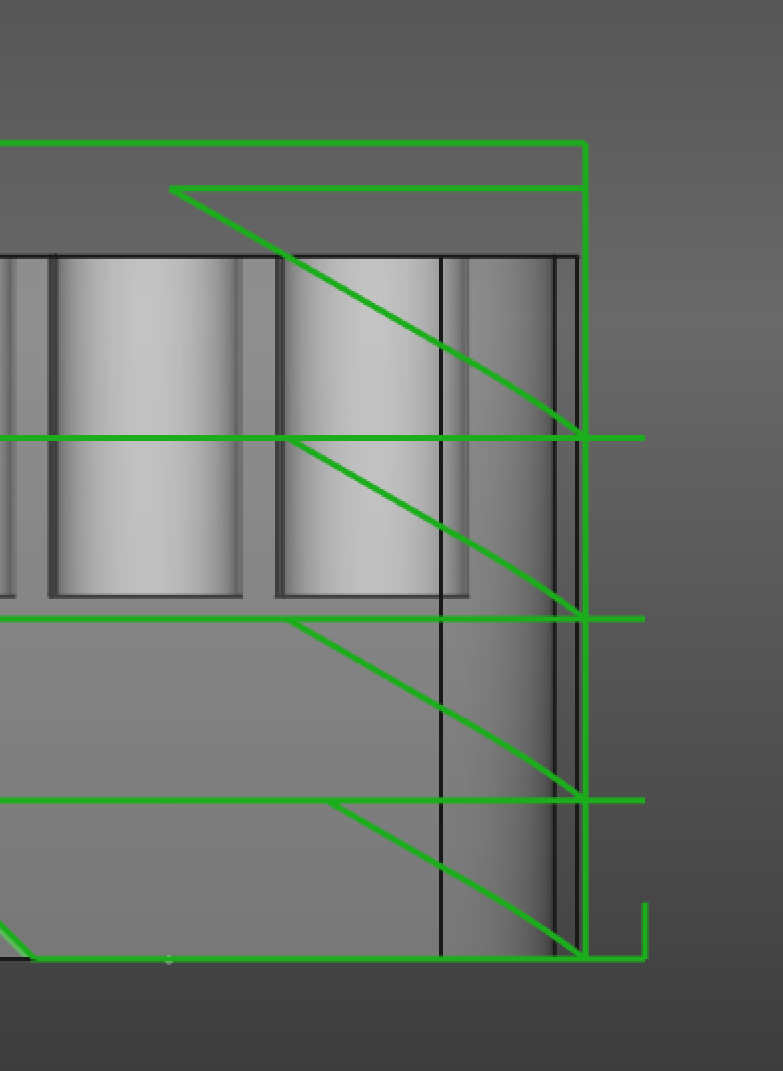
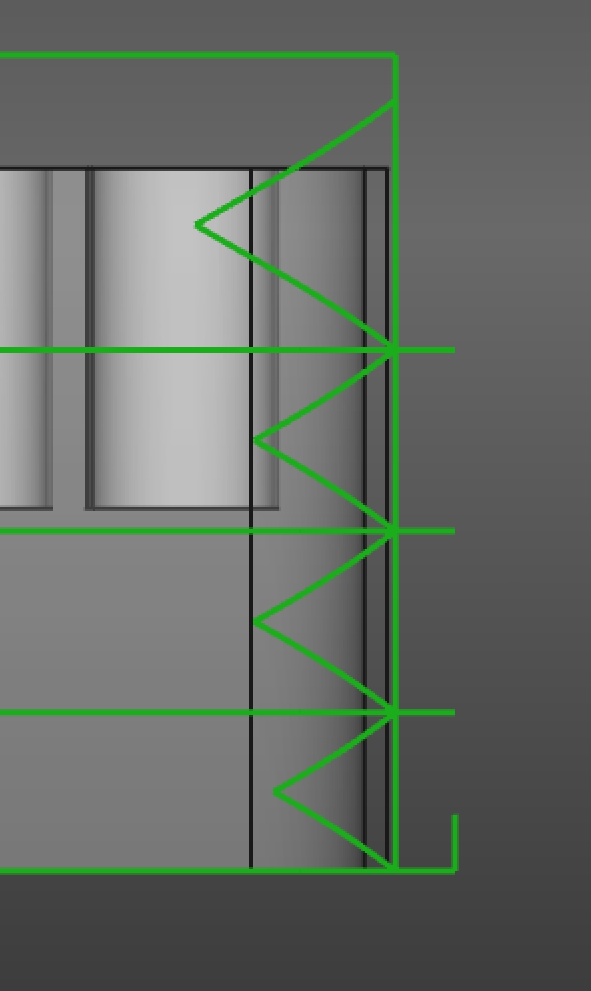
From left to right: Ramp method 1, 2 and 3
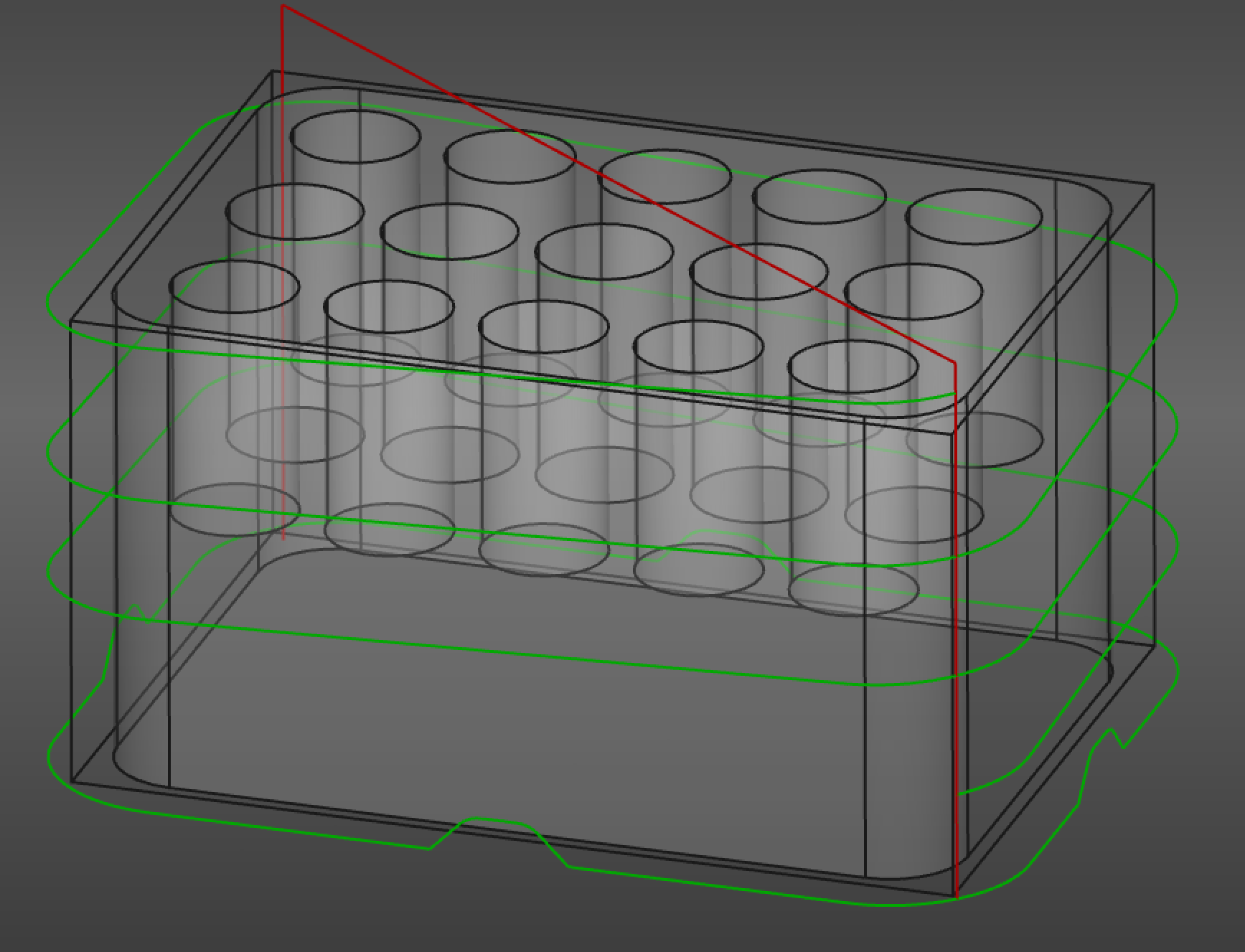
Ramp method Helix