CAM DressupRampEntry
 CAM DressupRampEntry
- Menu location
-
- Toolbar
-
Path Modification → Dressup Operations dropdown
- Workbenches
- Default shortcut
-
None
- Introduced in version
-
-
- See also
Description
The CAM DressupRampEntry command dresses up an existing Toolpath by replacing each vertical plunge with a ramp or helix entry, so that the Tool Bit enters the material at an angle instead of plunging straight down. Its tooltip reads: Creates a ramp entry dress-up object from a selected toolpath.
Usage
-
Select one Operation or Dressup (compound objects are rejected; introduced in 26.3 a Lead In/Out dressup may be selected).
-
There are several ways to invoke the command:
-
Select the option from the menu.
-
Select the Dressup Operations dropdown on the Path Modification toolbar.
-
Select the option from the Tree view context menu.
-
-
The dressup has no task panel; edit its properties in the property editor.
Properties
-
Base (
Link): The base Toolpath to modify. -
Angle (
Angle): Angle of the ramp; default60°; values are clamped to 0.1–89.9°. Documents from earlier versions, where the angle was measured against the vertical axis (a smaller value making the ramp steeper), are restored with the hidden Ramp Vertical property set, which preserves that interpretation. -
Method (
Enumeration), defaultRampMethod3:-
Helix: Helix-like entry; only for closed Toolpaths. -
RampMethod1: Ramp down along the Toolpath after the plunge, then return backwards along the Toolpath to the original plunge end point. -
RampMethod2: Travel at start depth along the Toolpath, then ramp backwards at the ramp angle, arriving exactly at the plunge end point. -
RampMethod3: Ramp down along the Toolpath until half the Z distance is travelled, change direction and ramp backwards to the plunge end point.
-
-
Use Start Depth (
Bool): Ignore motion commands above Dressup Start Depth. Whenfalse, the first ramp may start from the clearance or safe height and be steeper than expected. -
Dressup Start Depth (
Distance): The depth at which the ramp dressup is enabled. Above this depth ramps are not generated and motion commands are passed through unchanged. By default it is bound by expression to the Start Depth of the base Operation. Only shown when Use Start Depth istrue.
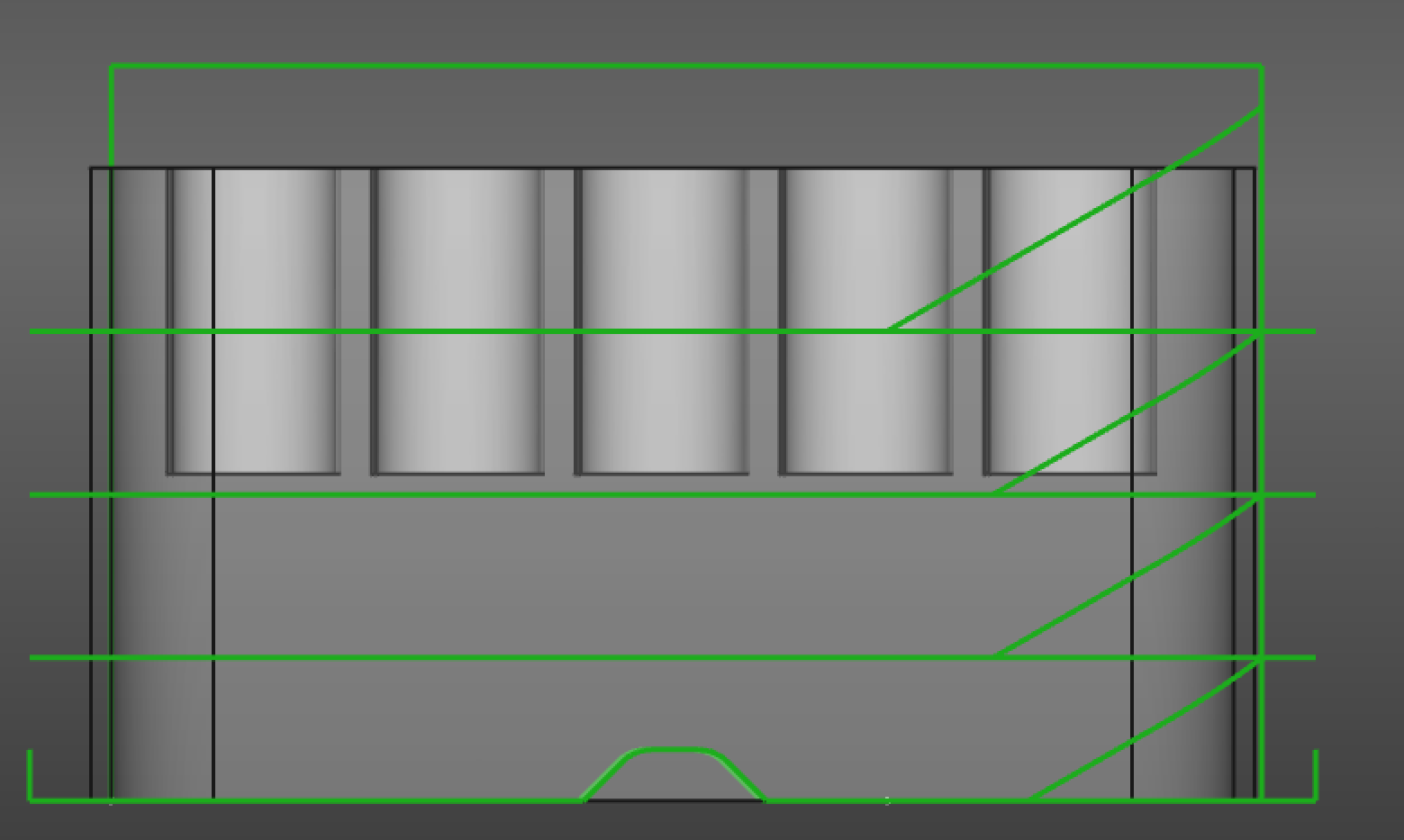
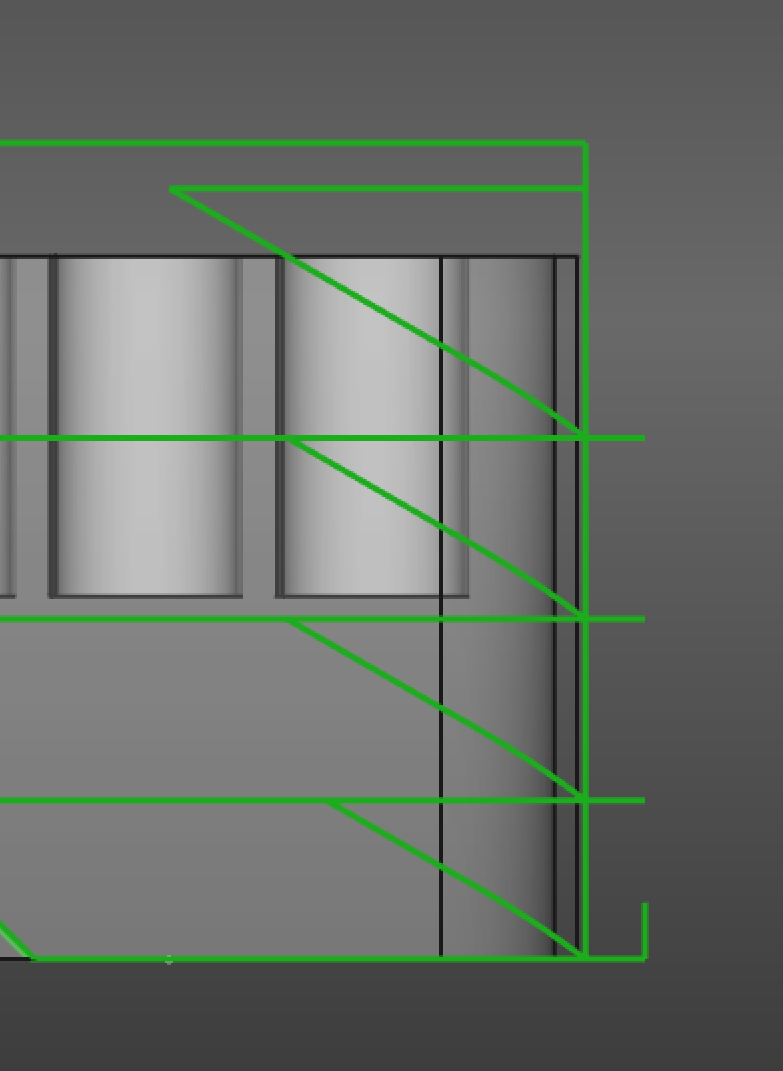
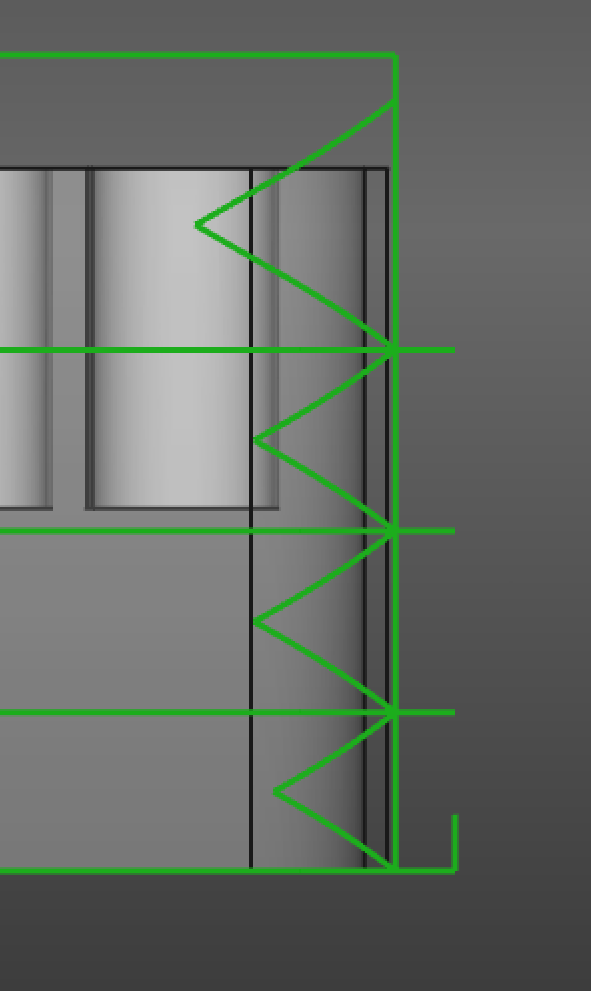
From left to right: Ramp method 1, 2 and 3
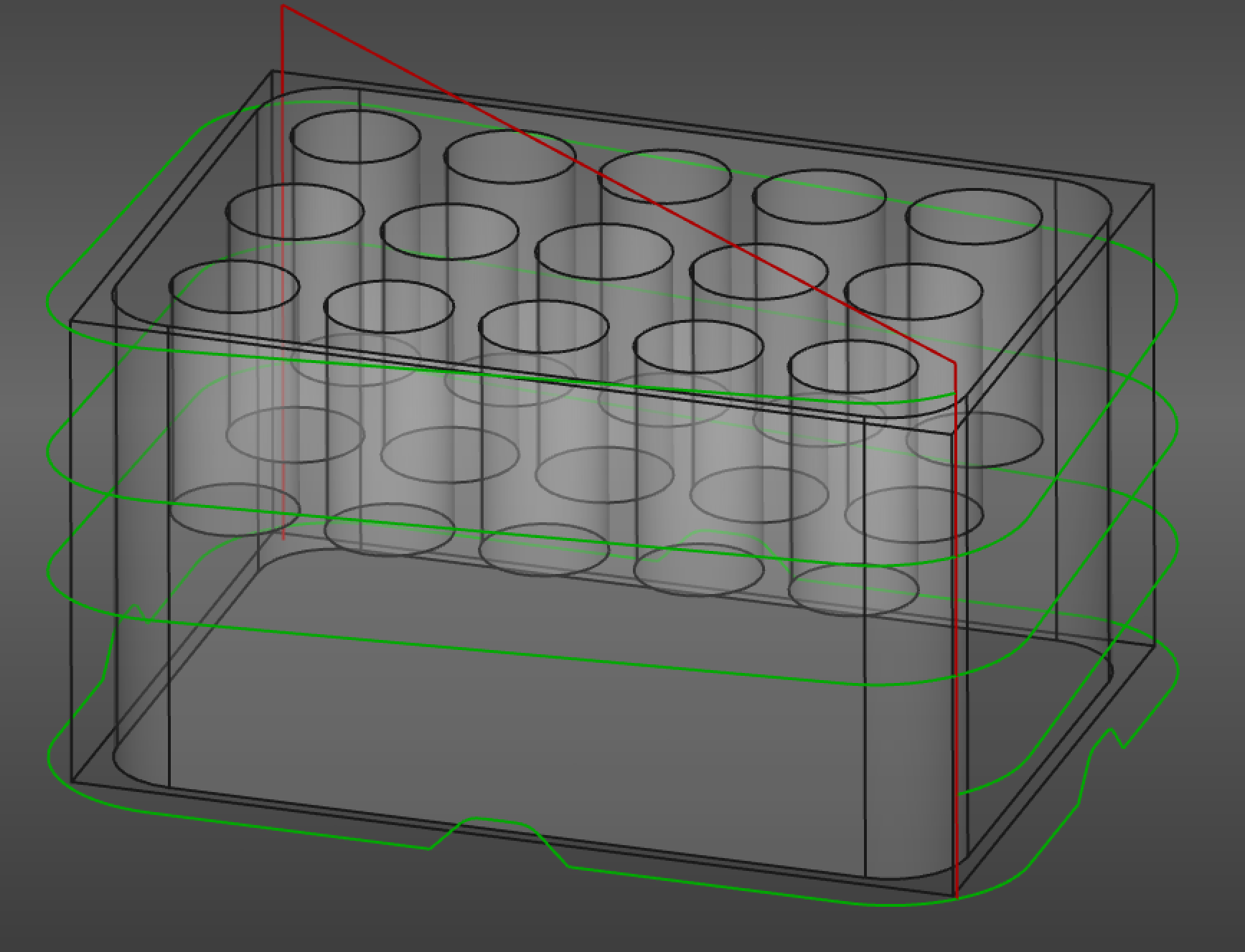
Ramp method Helix
Notes
-
Feed rate: introduced in 26.3 ramp moves use the Ramp Feed of the base Operation’s Tool Controller. 1.1 and earlier: the Ramp Feed Rate property selected the vertical, horizontal or a Custom Feed Rate; these properties were removed and files are migrated on load.
-
introduced in 26.3 The ramp is generated by
Path.Base.Generator.ramp_entry; the spurious initial move to X0 Y0 of earlier versions is no longer emitted, and Operations with several plunges per profile are handled.
Scripting
import Path.Dressup.Gui.RampEntry as RampEntry

obj = RampEntry.Create(op)
obj.Method = "Helix"
obj.Angle = 45

# without a document:
import math
from Path.Base.Generator.ramp_entry import RampEntry

cmds = RampEntry(commands, method=3, angle_rad=math.radians(30), tc=toolController).generate()